


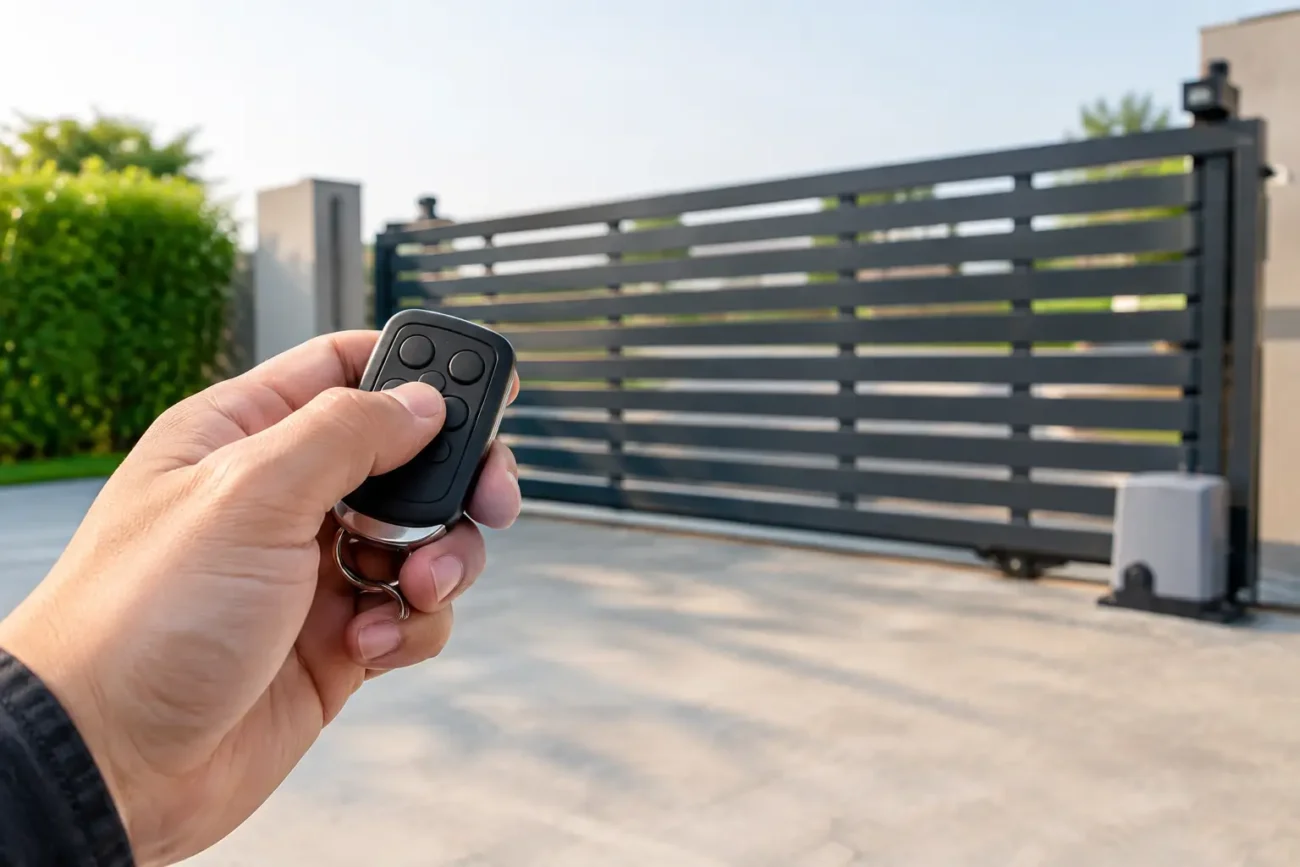
A gate that will not respond to its remote can leave a private driveway unsecured or stop vehicles entering a busy commercial site. Knowing how to programme a gate remote control correctly saves time, but the right method depends on the gate operator, receiver type and remote handset already in use. Guesswork can erase working remotes, trigger a gate unexpectedly or leave a security issue unresolved.
Before pressing any buttons, identify the automation equipment. Check the operator control panel, external receiver and existing transmitter for a manufacturer name, model number and frequency. This information matters more than the colour or shape of the handset. Two similar-looking remotes may use different frequencies, coding formats or encryption and will not pair.
Before You Programme a Gate Remote Control
Start with safety. Keep vehicles, pedestrians and staff clear of the gate travel area, especially on sliding gates and heavy swing gates. A remote programming session may operate the gate without warning. If you are working at a commercial premises, make colleagues aware that testing is taking place and isolate normal traffic through the entrance where possible.
Use a new battery in the remote before diagnosing a programming fault. A weak battery can produce an intermittent signal that looks like a receiver or pairing problem. Also confirm that the gate operates from a wired push button, keypad or another known-working remote. If it does not, programming a new handset is unlikely to be the answer.
The most common reasons a remote will not programme are straightforward: it is incompatible, the receiver memory is full, the remote is too far from the receiver during learning, or the system is in a fault or safety lockout condition. On older equipment, corrosion in the receiver enclosure, damaged aerial cable and water ingress are also regular causes.
Identify Which Programming Method Applies
There is no single button sequence for every gate remote. Most systems use one of three methods, and choosing the wrong one can waste a good deal of time.
Programming at the control panel or receiver
This is the standard and most secure approach. The control panel may be inside the gate operator cabinet, while a separate radio receiver may be mounted nearby. Locate the receiver’s learn, radio, code or programme button. Some receivers have a small LED that confirms when they are ready to accept a new transmitter.
Press the learn button briefly, then press the chosen button on the new remote within the time window set by the manufacturer, often around 10 seconds. The receiver LED may flash, change colour or go out to confirm that the code has been stored. Test the remote only once you have closed the cabinet and moved to a safe position.
Do not hold the learn button down unless the instructions specifically tell you to. On many receiver boards, a long press clears all stored transmitters. That may be inconvenient at a home, but at a warehouse, gated development or service yard it can create an immediate access problem for every authorised user.
Cloning from an existing remote
Some fixed-code remotes can copy an existing transmitter. This can be useful where access to the control panel is difficult, but it is not universal. Rolling-code systems, encrypted remotes and many newer branded transmitters cannot be reliably cloned in this way. Even where a copied remote appears to work at first, it may fail after the system changes its rolling code sequence.
Follow the specific cloning process for the remote model, rather than relying on a generic online method. Usually, the old and new remotes need to be held close together while buttons are pressed in a defined sequence. If cloning fails, move to receiver programming rather than repeatedly resetting the handset.
Dip-switch coding on older systems
Older gate controls may use a bank of tiny dip switches inside both the remote and receiver. In this case, programming means matching the switch positions exactly. Isolate power before opening the receiver, then note the existing switch arrangement carefully. A clear photograph can help, provided site security procedures allow it.
Dip-switch systems are simple, but they are not as secure as modern rolling-code equipment. If a remote has been lost or stolen, changing the switch code on the receiver and every authorised transmitter is the sensible course of action.
A Practical Programming Sequence
Once you have confirmed the correct remote and method, work through the process methodically. First, stand near the control panel or receiver, not at the far end of the drive. Next, enter learn mode with a short press of the appropriate button. Press the required button on the new remote once or twice as directed by the equipment instructions, then wait for the LED or display confirmation.
Exit programming mode, secure the enclosure and test the gate from a normal operating position. Check the open, stop and close behaviour where separate commands are available. For a shared entrance, confirm that the new remote operates only the intended gate or barrier and not another receiver nearby.
If the system supports pedestrian opening, consider whether that function should be assigned to a second button. A partial opening is useful for foot access, but it must be correctly configured and safe for the site layout. Do not assume that every multi-button remote controls multiple gates. Some buttons may be unused, while others may operate separate channels on one receiver.
Compatibility Matters More Than Appearance
A replacement transmitter should match the original system on frequency, coding technology and channel configuration. Common frequencies include 433 MHz and 868 MHz, but matching the frequency alone is not enough. Manufacturers such as BFT, FAAC, NICE, Hörmann and Marantec each use different ranges, generations and coding systems.
Check the label on the rear of the old transmitter, inside the battery compartment and on the receiver board. Record every number and letter, including suffixes. A single character can identify a different frequency or protocol. If the original remote is missing, take clear photographs of the control panel, receiver label and any plug-in radio card. This gives a specialist supplier a far better chance of identifying the correct replacement.
Universal remotes can be useful in limited circumstances, particularly for compatible fixed-code systems. They are not a blanket solution for modern gate automation. For sites where security, reliability and access control matter, an original or manufacturer-approved compatible remote is generally the safer choice.
When the Remote Programmes but the Gate Still Will Not Move
A confirmation light on the receiver only proves that it has received a radio signal. It does not prove that the gate is safe or able to run. If the remote appears to pair but nothing happens, inspect the operator status indicators or display for fault codes.
Safety devices are a common cause. A blocked photocell, misaligned safety beam, damaged safety edge or failed emergency stop can prevent movement. On a sliding gate, check that the travel path is clear and that the gate has not been manually released. On swing gates, look for obstruction, hinge damage or wind loading.
Also consider whether the control panel is in a timer, hold-open, holiday or external-command mode. Some commercial installations have interlocks with barriers, traffic lights, access readers or fire systems. The gate may be receiving the remote command but waiting for another condition before it can operate.
Avoid bypassing safety circuits simply to test a remote. Safety photocells, edges and force limits are there to protect people and vehicles. If a safety fault is suspected, it should be diagnosed and repaired properly by a competent gate automation engineer.
Removing Lost or Unauthorised Remotes
If a remote is lost, do not just programme a replacement and carry on. On systems with individual transmitter memory, delete the missing handset from the receiver if its position or serial number can be identified. If that is not possible, clearing receiver memory and adding back only authorised remotes may be necessary.
This takes longer, but it restores control over who can access the site. Keep a simple register for commercial gates showing who holds each remote, its serial number where available and the date it was issued. It makes future replacements and security decisions far easier.
For difficult identification, discontinued handsets or unclear receiver markings, Door Spares UK can help source compatible gate remotes and automation components from photographs and equipment details. The more information supplied, the faster the correct part can be confirmed.
A properly programmed remote should be boring: one press, one predictable response, every time. If it is not, treat that inconsistency as a fault to investigate rather than something to work around.
Leave a comment